gfxCardStatus is open-source software that lets users manage how the graphics card operates on 15” and 17” MacBook Pro models (old and new): an icon in the menu bar lets you tell the system which graphics card to use. The program can also automatically select which graphics card to use depending on whether the computer is running on mains power or battery.
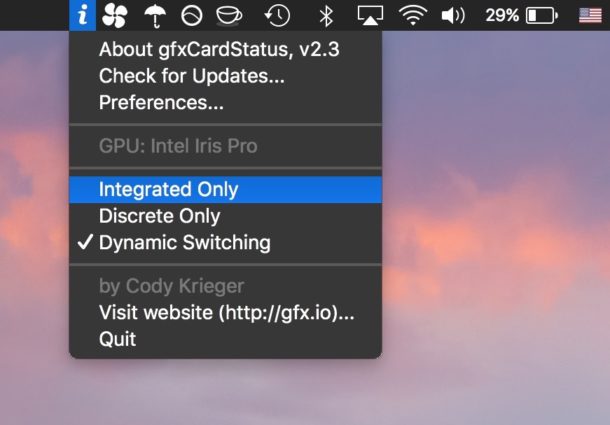
Personally, I came across and used this program to solve a problem with a MacBook Pro 6,2 that would suddenly stop working just when programs were opened that made it switch to the more powerful graphics card. Once I had installed the program, set it to launch at login and configured it to use only the Intel graphics card, the problem disappeared.
Below are links to some versions I found online
version 2.3
version 2.0
version 1.8
Enjoy!
