Speedtest.net is an excellent website that lets you measure the speed of your internet connection from your device. Checking your connection’s performance can be useful for investigating connectivity problems or simply for seeing whether you are getting the service your ISP promised.
Matt Martz has created a Python project called speedtest-cli that lets you perform a basic measurement of your upload/download bandwidth using the service provided by Speedtest.net. It works very well on the Raspberry Pi and is really simple to use from the command line.
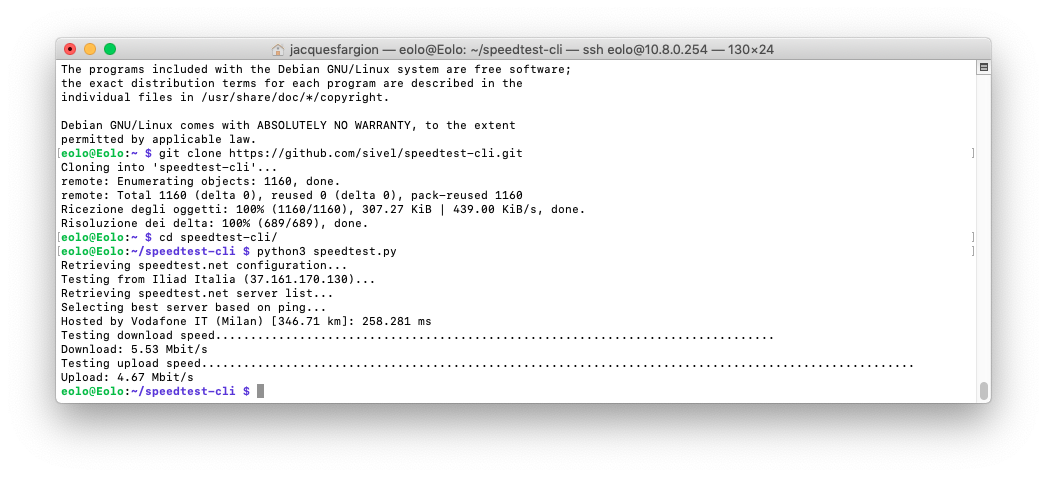
To start, download the script by cloning the repository with the following command:
git clone https://github.com/sivel/speedtest-cli.git
To run Speedtest from the command line, move into the directory you just cloned:
cd speedtest-cli
and then run the Python script using Python 3:
python3 speedtest.py
Once it has run, you should see something like this:
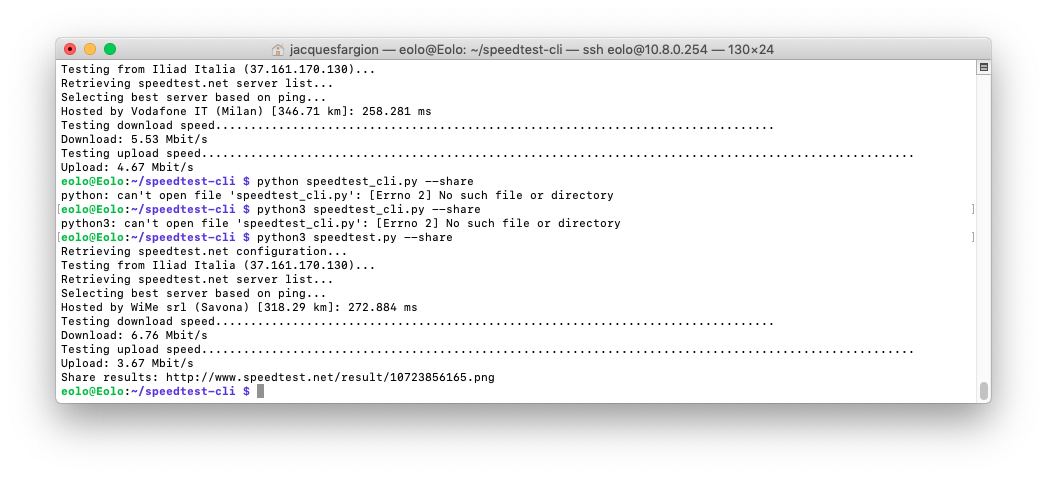
If you add “–share” to the command, as in the example below
python3 speedtest.py --share
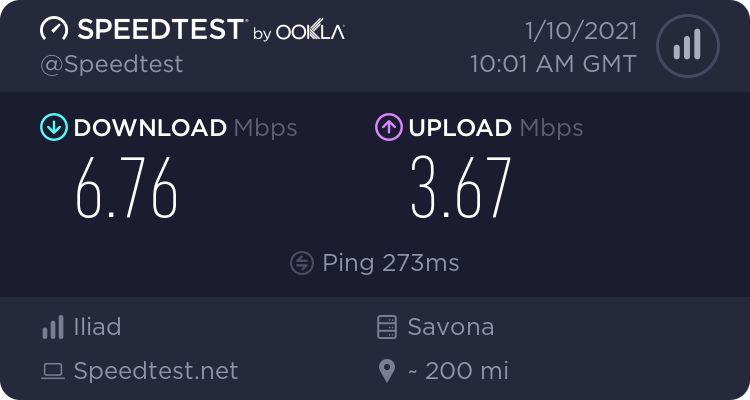
it will create a link to an online image showing your result, which you can then share with anyone you like.
Below is my result, obtained over Wi-Fi on a Raspberry Pi 3 connected to the internet via a 4G router:
Enjoy!
Enjoy!
